Free on AndroidNo accountNo subscription

The browser that brings its own VPN.

Plus AirDrop-style sharing to the phone beside you, and a download manager built for weak connections. Three tools that know about each other, behind one address bar.

Version 1.1.3, for Android 7.0 and up.

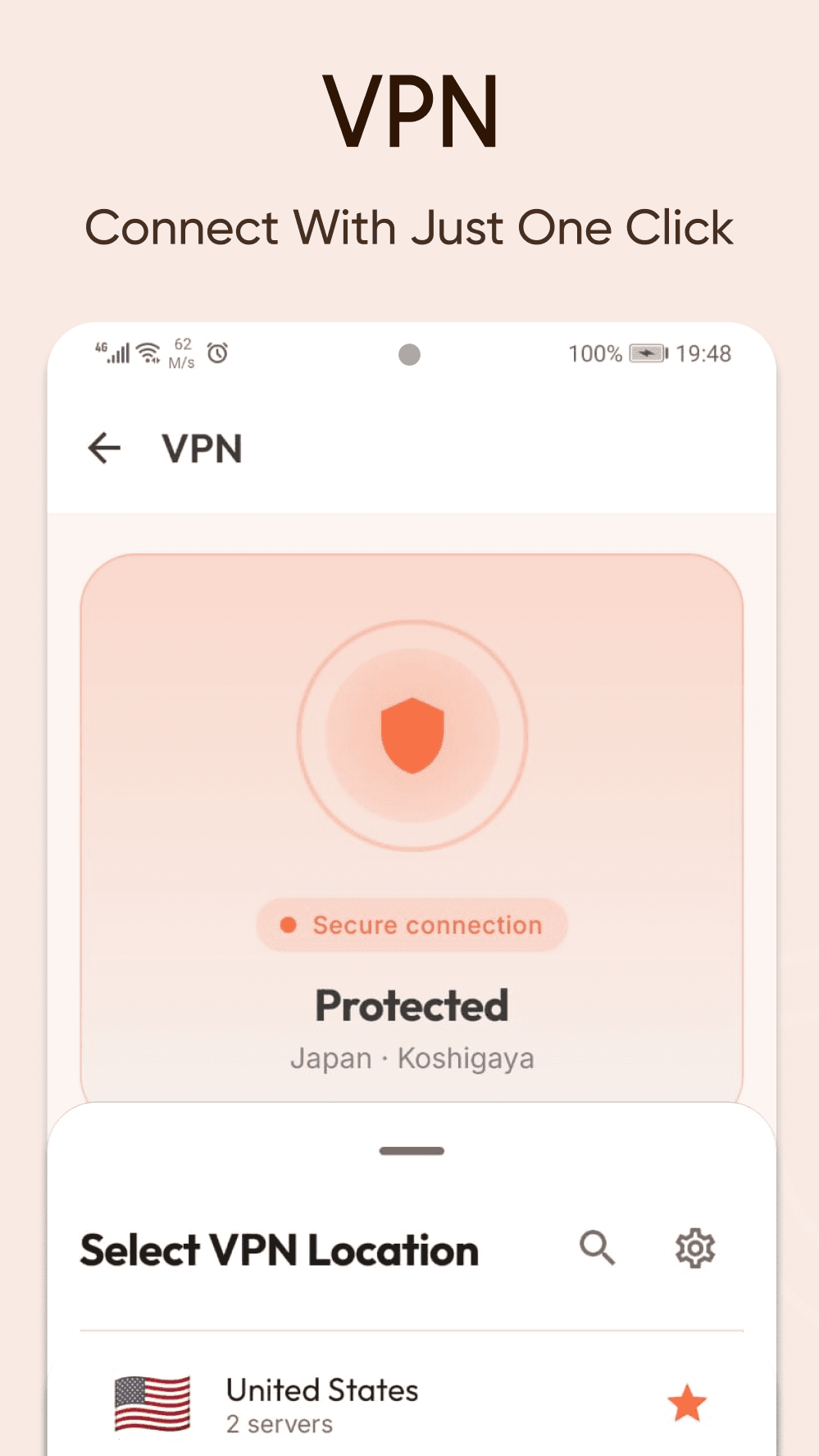
zip://vpn
Secure connection
Protected
Japan · Koshigaya
Select VPN Location
Japan3 servers
United States2 servers
Netherlands4 servers
Germany2 servers
Three apps, one tab

Most browsers stop at the page. This one keeps going.

Route only your browsing through the tunnel. Send the tab you are reading to the laptop across the room. Queue a download and walk out of Wi-Fi. The parts were built to be used together.

A real browser

Tab groups, translation, find in page and per-site controls. A browser you could use as your only one, not a search box in a frame.

A VPN that holds

One tap, no account. It stays up on Wi-Fi and on mobile data, including the networks where other VPNs quietly give up.

Sharing without the cloud

Nearby devices appear on their own. Send a page, a tab or a whole folder straight across, encrypted.

VPN

Stays up when you leave the Wi-Fi.

Most VPNs are fine at home and then quietly stop working the moment you step outside, because mobile networks are far less willing to carry them. Zip was built for both. It reads the network you are on and connects the way that works there, so the only thing you ever do is tap connect.

  • One tap to the fastest server. Ranked live by ping and load.
  • Kill switch. Keep the tunnel pinned so traffic does not leak during drops.
  • Split tunnelling. Send one app through, or everything except one.
  • Auto reconnect. Drops are picked up without a prompt.
  • No sign in. Nothing to buy, nothing to cancel.
Wi-FiMobile dataHandled for you
ZipDrop

AirDrop, without the ecosystem.

Devices nearby announce themselves on the local network. Pick one, match the six digits shown on both screens, and the file crosses directly between the two of you. Nothing is uploaded, and nothing waits on a server.

  • No Bluetooth, no location. Discovery runs over Wi-Fi alone.
  • Encrypted end to end. A fresh key per transfer, confirmed by code.
  • Resumes where it stopped. A half-written file never shows up in your gallery.
  • In every share sheet. Send from any app on the phone.
  • Trusted devices. Skip the prompt for the ones you own.
P8Pixel 8SIStudio iMacGTGalaxy Tab
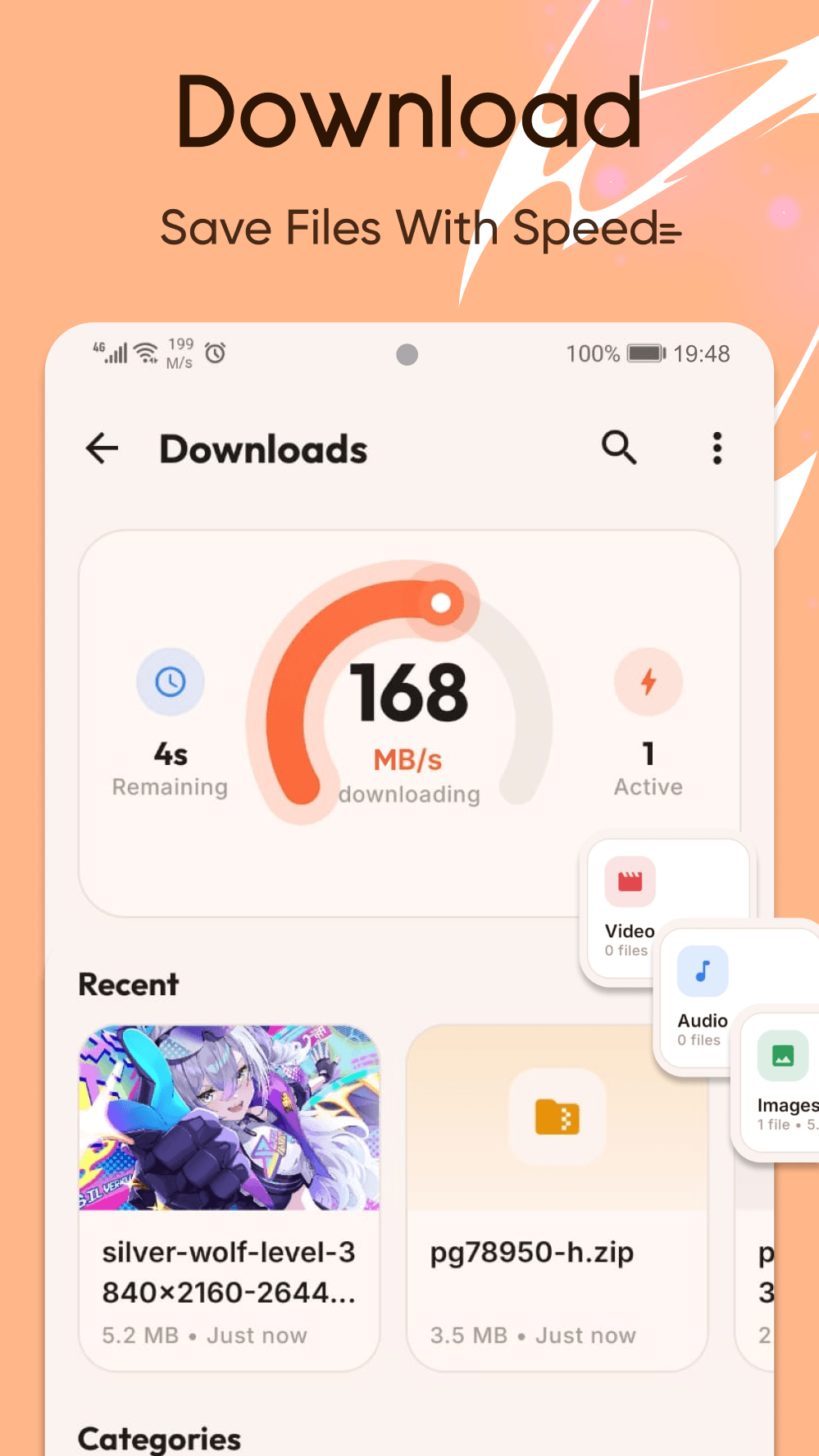
Downloads

Split, resume, finish.

Every file is pulled over several connections at once and written into a single place on disk. Pause it, lose signal, close the app. It picks back up at the exact byte it left, and only appears in your files once it is whole.

  • Parallel by default. Set how many connections each file gets.
  • Pause all, resume all. Survives restarts and backgrounding.
  • Wi-Fi only. Holds everything the moment you leave the network.
  • Sorted on arrival. Video, audio, images, documents, archives, apps.
Ubuntu-24.04-desktop.iso4.7 GB, 3.6 GB done18.4 MB/s
Connection 172%
Connection 288%
Connection 354%
Connection 491%
One file76%
Privacy

Blocked before it loads.

Ad and tracker requests are answered with nothing at the network layer, so they never leave the phone. Pages get lighter and so does the data bill. Switch it off for a site you want to support.

Nothing to render

Known ad and tracker domains get an empty answer, so the page never waits on them.

Encrypted lookups

The addresses you open are looked up privately, so the network in between never collects the list.

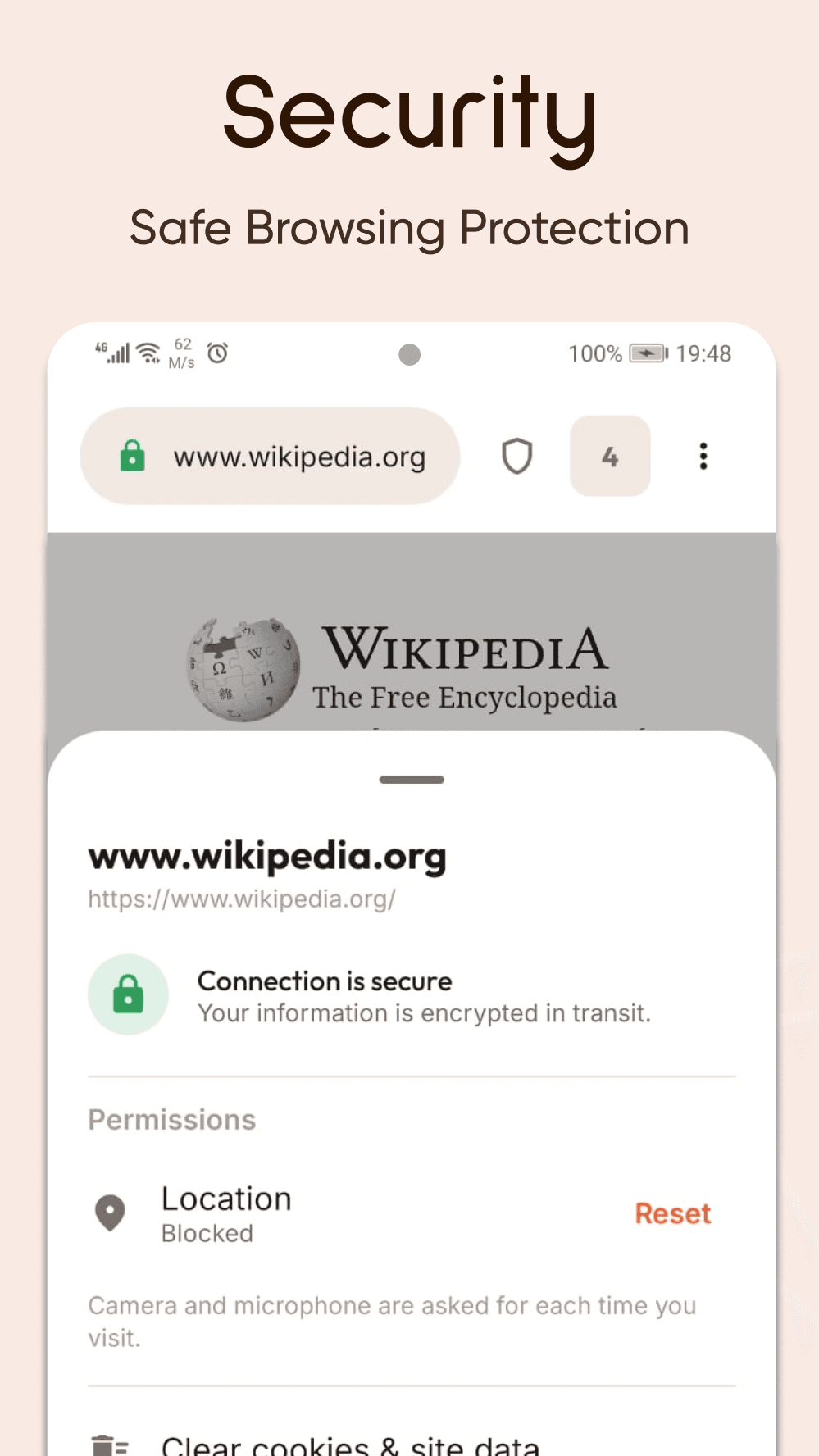
Safe Browsing

Malware and phishing pages are flagged before they load.

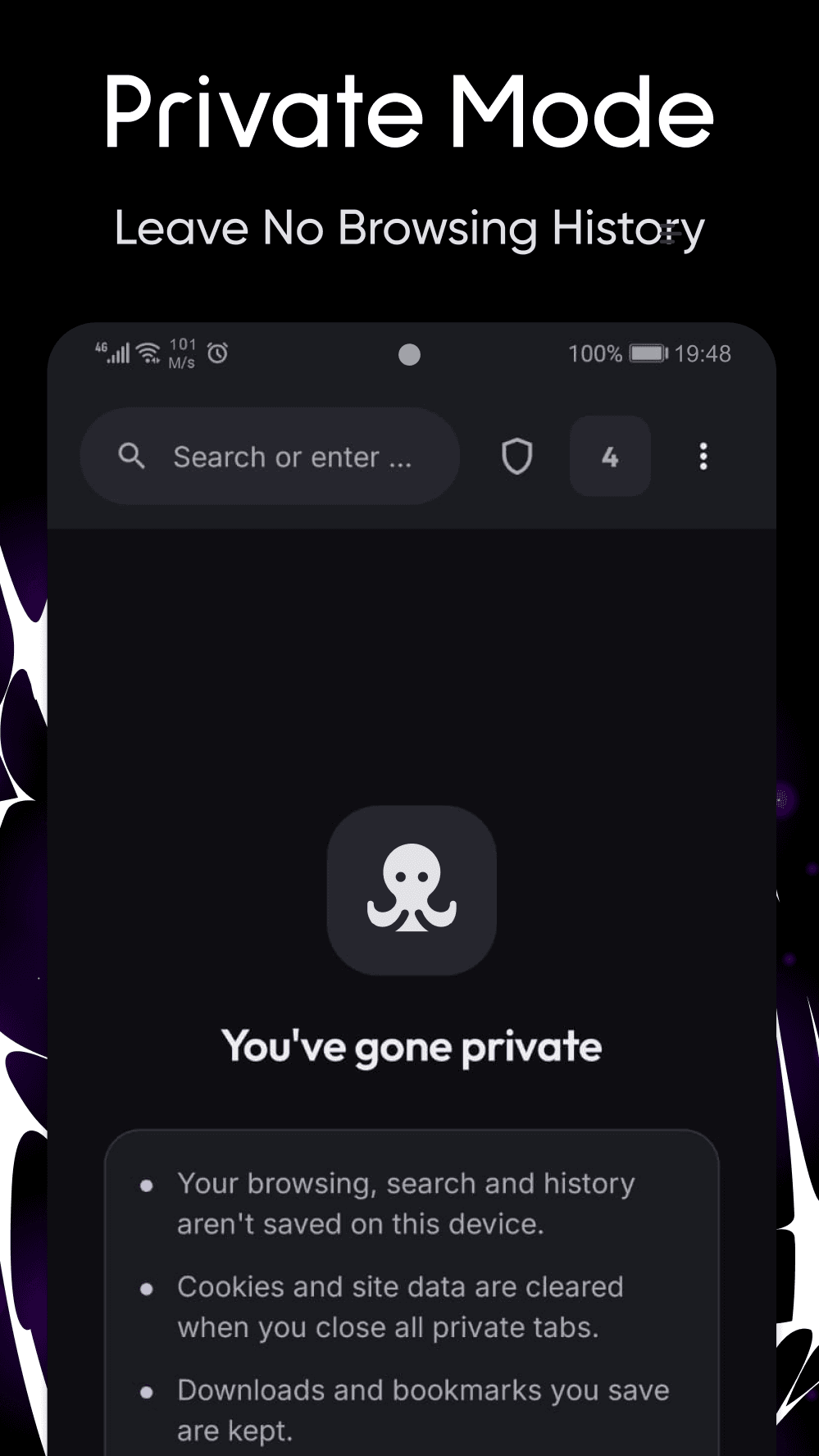
Private tabs

The whole app recolours, and nothing from the session is written down.

Per-site control

Camera, microphone, location, cookies and blocking, decided one site at a time.

Signals sent

Do Not Track and Global Privacy Control go out with every request.

On the phone

Warm by day, warm by night.

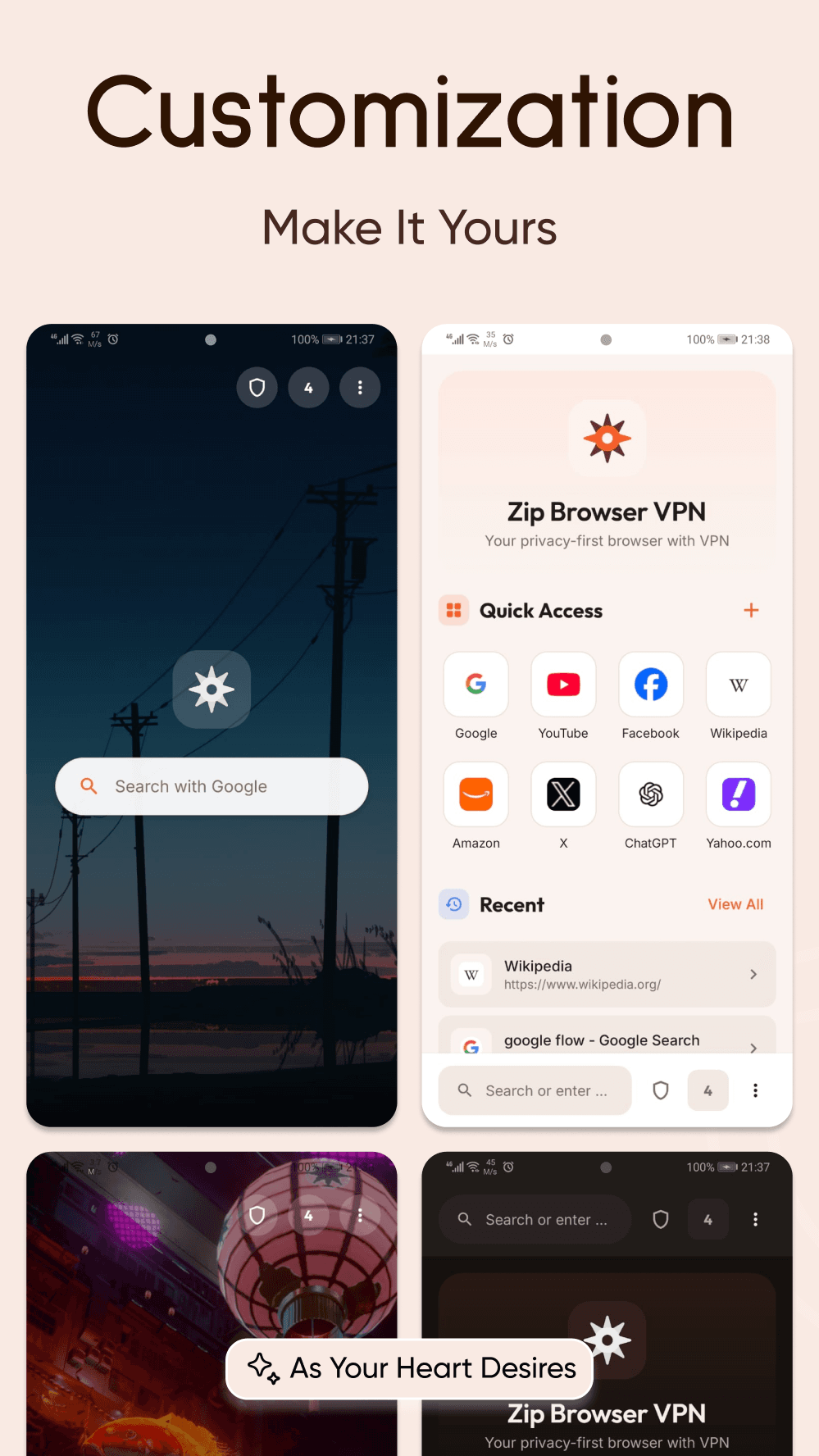
One accent, soft surfaces and room to breathe. The dark theme is a warm charcoal rather than the usual blue-black, so it reads the same at midnight as it does at noon.
Zip Browser VPN promotional image - browse anonymously and stay protected everywhere
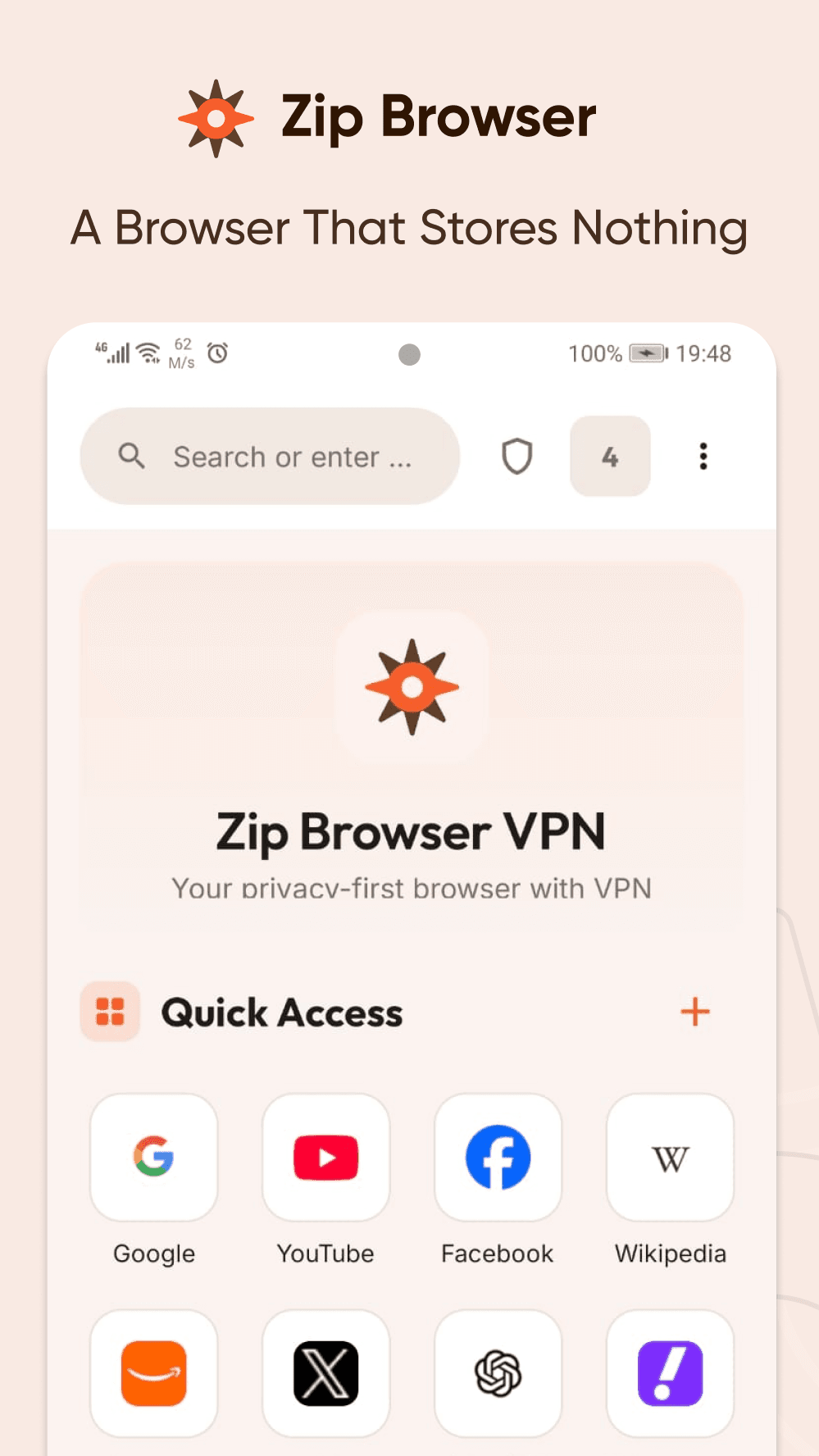
Zip Browser VPN home screen with the search bar and a Quick Access grid of favourite sites
The VPN screen connected to Japan, showing the protected shield and the Select VPN Location list
The downloads screen with the live speed gauge, recent files and file categories
A private tab, with the app recoloured and a note that nothing from the session is saved
The page information sheet on Wikipedia, showing a secure connection and per-site permissions
Four home screen looks side by side - wallpapers, the minimal layout and light and dark themes
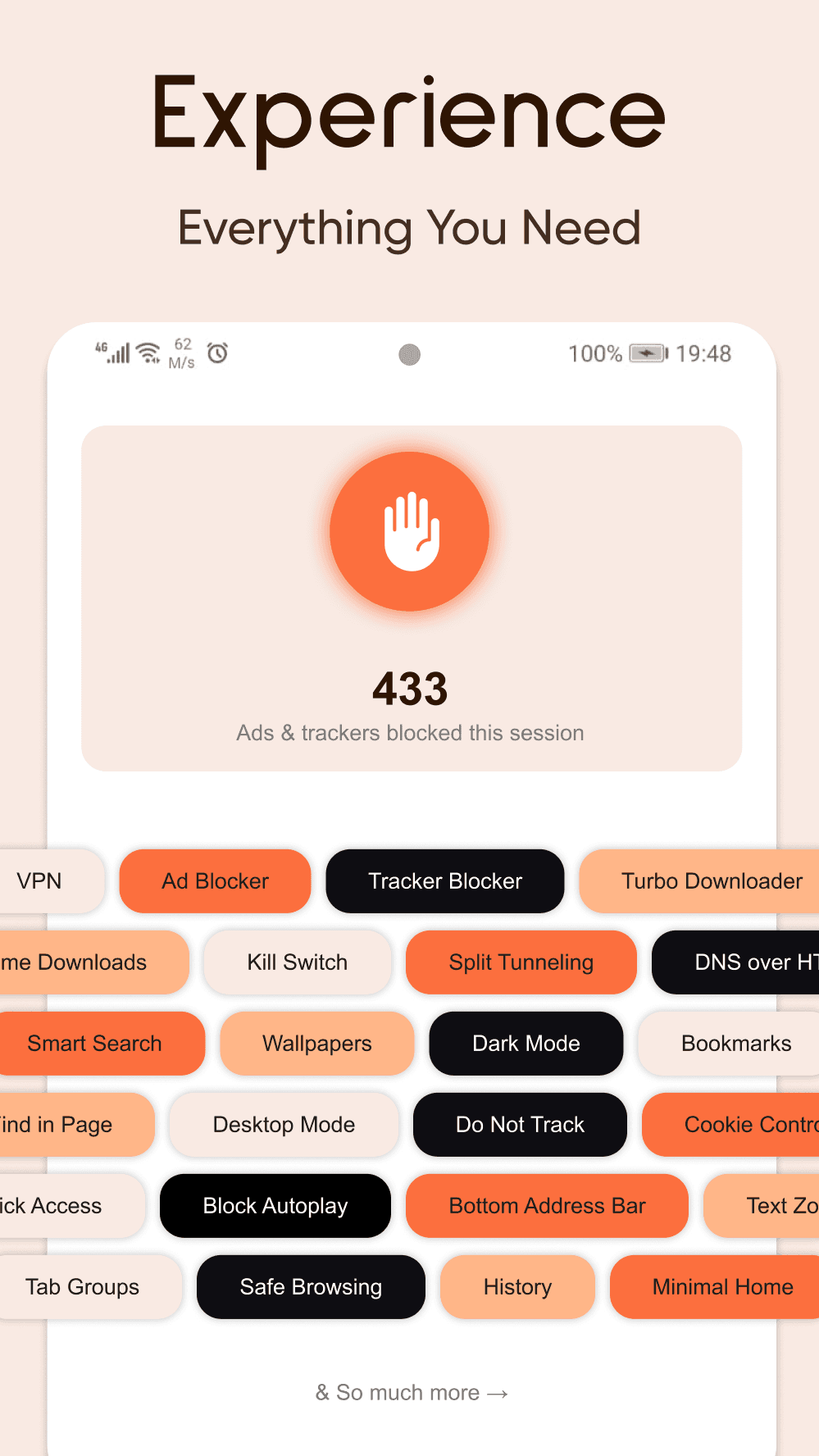
The ad and tracker blocker counting blocked requests, above a grid of the app’s features
Zip Browser VPN promotional image - browse anonymously and stay protected everywhere
Zip Browser VPN home screen with the search bar and a Quick Access grid of favourite sites
The VPN screen connected to Japan, showing the protected shield and the Select VPN Location list
The downloads screen with the live speed gauge, recent files and file categories
A private tab, with the app recoloured and a note that nothing from the session is saved
The page information sheet on Wikipedia, showing a secure connection and per-site permissions
Four home screen looks side by side - wallpapers, the minimal layout and light and dark themes
The ad and tracker blocker counting blocked requests, above a grid of the app’s features
Everything else

The full list.

Settings are searchable in the app, so you can type what you want rather than hunt for where it lives.

Browsing

8
  • Find in page
  • Translate a page, in the language you pick
  • Translate a site every time, or never offer
  • Desktop site, for one tab or all of them
  • Text size from 50 to 200 percent
  • Dark mode forced on a site that lacks one
  • A floating back, forward and refresh bar
  • Long-press any link or image for the full menu

Tabs

6
  • Tab groups, made by dragging one tab onto another
  • Name, rename, collapse or ungroup
  • One or two columns in the switcher
  • Private tabs, kept apart from the rest
  • A live preview on every tab card
  • Send every open tab to a nearby device

Home and look

7
  • Classic or minimal home
  • Wallpapers with a brightness dial
  • Quick access speed dial, three or four across
  • Recent sites, by latest or by most visited
  • Address bar at the top or the bottom
  • Pill or rounded square address bar
  • Warm light, dark premium, or follow the system

Search

5
  • Google, Bing or DuckDuckGo
  • Suggestions as you type
  • Recent searches kept, or none at all
  • One bar for questions and addresses alike
  • Search the settings instead of hunting for them

Privacy

9
  • Ad and tracker blocking in every tab
  • An allowlist for sites you want to support
  • Cookie and cross-site cookie controls
  • Private lookups for the addresses you open
  • Warnings before malware and phishing pages
  • Do Not Track and Global Privacy Control
  • A JavaScript switch
  • Autoplay held until you tap
  • Clear browsing data in one place

Per-site control

6
  • Page information from the address bar
  • Camera, microphone and location, site by site
  • Allow, block, or ask every time
  • Clear cookies and data for one site
  • Turn blocking off for a single site
  • Connection and certificate details

VPN

10
  • One tap to the fastest server
  • Countries and cities, with favourites
  • Kill switch
  • Split tunnelling, down to a single app
  • Or the reverse: everything except one app
  • Connect on launch
  • Reconnect after a drop, without a prompt
  • Live download and upload speeds
  • A status notification you can turn off
  • Works on Wi-Fi and on mobile data

ZipDrop

10
  • Send pages, tabs, files and whole folders
  • A six-digit code shown on both screens
  • Visible to everyone, to trusted devices, or to nobody
  • Discoverable for fifteen minutes, then not
  • Keep receiving with the browser closed
  • Accept from trusted devices automatically
  • Trusted and blocked device lists
  • Transfer history, with send again
  • Receive from any app on the phone
  • QR code and system share sheet as a fallback

Files and library

10
  • Up to thirty-two connections per file
  • Up to five downloads at once
  • Pause all, resume all
  • Wi-Fi only
  • Ask before downloading, or save it quietly
  • Video, audio, images, documents, archives, apps
  • Search, sort and select several at once
  • A live speed readout you can hide
  • Bookmarks in folders, searchable
  • History, searchable and clearable
Questions

Before you install.

The things people ask most often, answered plainly. Anything else, the policies below go into detail.

Is Zip Browser VPN free?

Yes. It is free on Google Play with no subscription, no trial and nothing locked behind a purchase. The browser, the VPN, nearby sharing and the download manager are all there from the first launch.

Do I need an account to use the VPN?

No. There is nothing to sign up for and nothing to cancel. Open the app, tap connect, and the tunnel comes up.

Does the VPN work on mobile data as well as Wi-Fi?

Yes. Plenty of VPNs are fine at home and then quietly stop working the moment you leave. Zip reads the network you are on and connects the way that works there, so it keeps going on mobile data too.

What is ZipDrop?

ZipDrop is AirDrop-style sharing between devices on the same Wi-Fi. Nearby devices appear on their own, you match a six-digit code shown on both screens, and pages, tabs, files and whole folders cross directly between the two of you. Nothing is uploaded and nothing waits on a server. It needs no Bluetooth and no location permission.

Does it block ads and trackers?

Yes. Requests to known ad and tracker domains are answered with nothing before the page can load them, so pages get lighter and use less data. You can switch it off for a single site you want to support.

What happens to a download if I lose signal?

It waits. Every file is pulled over several connections at once and picks back up at the exact byte it left, surviving restarts, backgrounding and dropped connections. A file only appears in your downloads once it is whole.

Does private browsing leave anything behind?

Your browsing, search and history are not saved on the device, and cookies and site data are cleared when you close the last private tab. Downloads and bookmarks you deliberately save are kept.

Which Android versions are supported?

Android 7.0 and up. The current release is version 1.1.3.

Free on Android.

No account, no trial, nothing to unlock. Install it and everything above is already there.